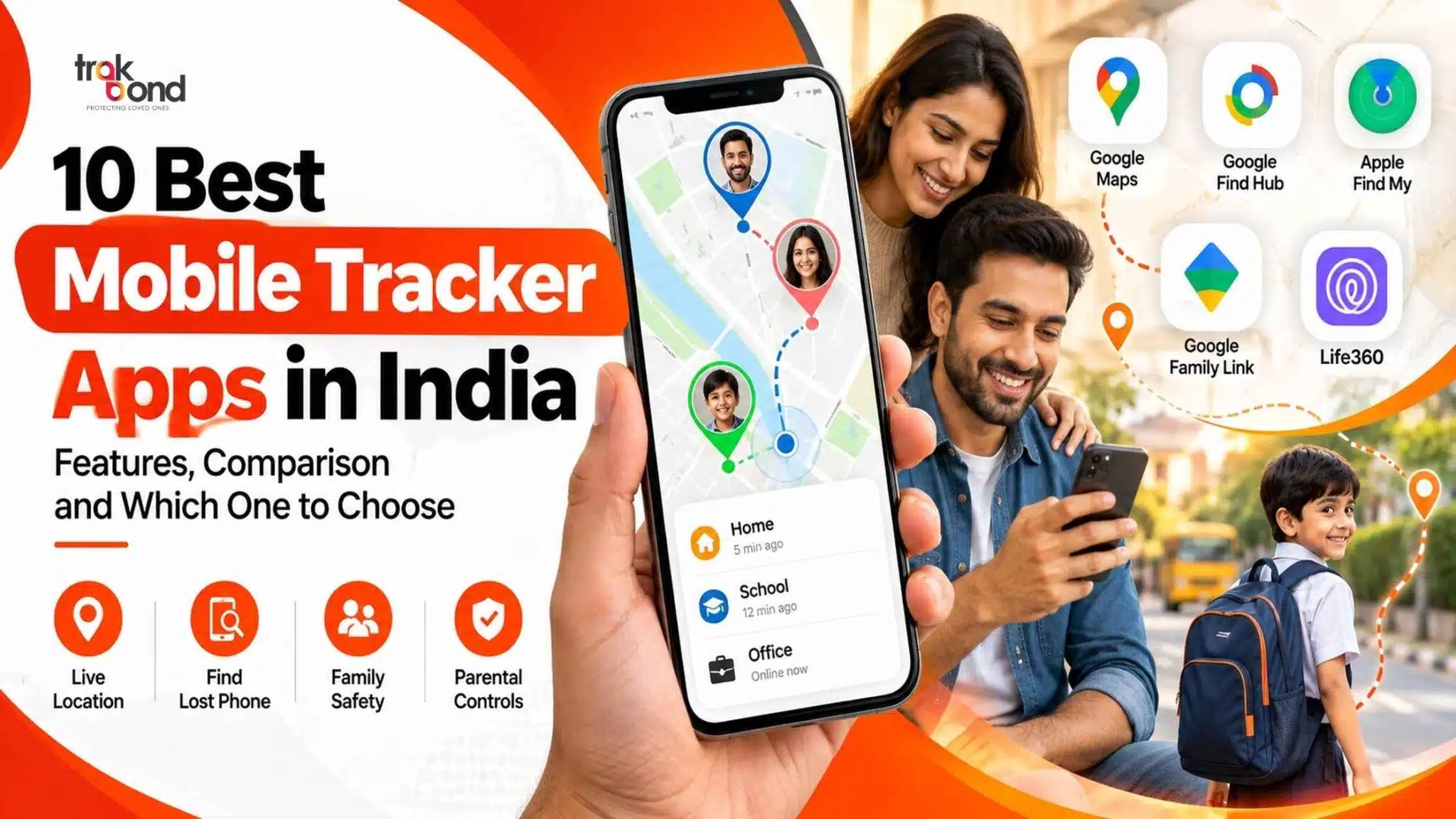
10 Best Free Mobile Tracker Apps in India (2026)
Finding the right mobile tracker free app can help families stay connected, locate a misplaced smartphone, coordinate daily travel, and improve personal safety. In India, where children commute to school, students travel to coaching centres, professionals move between workplaces, and families often travel long distances, mobile location tracking can be useful for everyday coordination.
However, not every free mobile tracker offers the same features. Some apps provide basic live location sharing, while others focus on finding lost devices, parental controls, family safety alerts, or dedicated GPS tracking.
In this updated guide, we compare 10 mobile tracking apps and services to help you choose the right option for your needs.
Quick answer: Google Maps is a practical free option for voluntary location sharing, Google Find Hub helps locate compatible lost Android devices, Apple Find My is designed for Apple devices, and Google Family Link supports parental supervision. Life360 offers a dedicated family-location-sharing experience with a free tier. For families seeking additional tracking and safety capabilities, compare dedicated solutions such as Trakbond against your specific requirements.
Note: Features, free-plan limits, device compatibility, and availability may change. Confirm the latest terms before installing an app or purchasing a service.
What Is a Free Mobile Tracker?
A free mobile tracker is an app or service that helps users find a device or share location information with authorised people without necessarily paying a subscription.
Depending on the application, it may use GPS, Wi-Fi, mobile networks, and device location services to estimate or communicate a phone’s location.
Common uses include:
- Sharing live locations with family members.
- Finding a lost or misplaced smartphone.
- Checking whether a child has reached school safely.
- Coordinating travel and meetups.
- Managing location sharing between trusted contacts.
- Receiving safety notifications where supported.
A mobile tracker is not automatically a complete family-safety solution. Some apps only display a location on a map, whereas others offer additional controls and alerts.
10 Best Free Mobile Tracker Apps in India
1. Google Maps Location Sharing
Best for: Free, everyday location sharing between trusted contacts.
Google Maps is one of the most convenient choices for people who want to share their location without installing a separate family-tracking application.
Users can choose whom to share their location with and, where supported, set a sharing duration. This is useful for parents coordinating school pickups, friends meeting in busy areas, and family members travelling between cities.
Key features:
- Live location sharing with selected contacts.
- Location visibility on a map.
- Travel coordination and directions.
- Sharing controls and the ability to stop sharing.
Advantages: Easy to use, familiar interface, and suitable for Android and iPhone users with compatible Google services.
Limitations: It is primarily a location-sharing tool, not a complete parental-control or emergency-response platform. Advanced family alerts and tracking features should not be assumed.
Free availability: Core location-sharing functionality is available without a separate paid tracking subscription.
2. Google Find Hub (formerly Find My Device)
Best for: Locating a lost Android smartphone.
Google Find Hub is designed to help users locate compatible Android devices and supported accessories. It is particularly useful when a phone has been misplaced at home, left in a vehicle, or lost while travelling.
Depending on the device and its settings, users may be able to view its location, play a sound, secure it remotely, or erase its data.
Key features:
- Locate compatible devices on a map.
- Play a sound to help find a nearby phone.
- Secure a lost device.
- Remotely erase device data when necessary.
Advantages: Useful for protecting your own device and reducing the risk of unauthorised access after a loss.
Limitations: It is primarily designed for finding devices associated with your account, not for continuously monitoring another person’s daily movements.
Free availability: Google’s core device-finding service is available without a separate tracking subscription on supported devices.
3. Google Family Link
Best for: Parents managing a child’s compatible Android device.
Google Family Link combines parental supervision with selected device-management features. Depending on the child’s device, account configuration, and permissions, parents can use it to help manage screen time, app approvals, and location visibility.
It can be useful for families who want location information alongside basic digital supervision.
Key features:
- Location visibility for compatible supervised devices.
- Screen-time management.
- App approval and management.
- Selected device and account controls.
Advantages: A useful starting point for parents who want to manage a child’s Android experience without paying for a separate parental-control subscription.
Limitations: Location functionality depends on device compatibility, account settings, permissions, connectivity, and other requirements. It is not a universal tracker for every phone.
Free availability: Core Family Link features are available free of charge.
4. Apple Find My
Best for: Finding lost Apple devices and sharing locations within the Apple ecosystem.
Apple Find My helps users locate compatible iPhones, iPads, Macs, and supported accessories. It can also support location sharing between people who choose to share their locations.
For families using Apple devices, it provides a convenient way to find missing devices and coordinate with trusted contacts.
Key features:
- Locate compatible Apple devices.
- Play a sound on supported devices.
- Mark a device as lost.
- Remotely erase a device where supported.
- Share locations with selected people.
Advantages: Integrated into Apple’s ecosystem, with useful device-recovery and security features.
Limitations: It is most suitable for Apple users and does not replace a full cross-platform family-safety solution.
Free availability: Core Find My functionality is included with supported Apple devices and services.
5. Life360
Best for: Families who want a dedicated location-sharing app.
Life360 is a family locator that allows members to create private groups, commonly called Circles, and share location information. It may suit households that want a dedicated app rather than relying only on general-purpose maps.
The app also offers additional safety-related features, although availability can depend on the subscription plan and region.
Key features:
- Family location sharing.
- Private Circles.
- Place alerts, subject to plan limits.
- Additional safety and driving-related features on supported plans.
Advantages: Designed specifically around family location sharing and coordination.
Limitations: Some advanced features require a paid subscription. Review the app’s data-safety disclosures and privacy policy before enabling continuous sharing.
Free availability: A free tier is available, with certain features restricted to paid plans.
6. GeoZilla
Best for: Families exploring dedicated location and safety tools.
GeoZilla is a family-oriented location service that can help participating family members stay connected. Depending on the current app version and subscription, it may provide location updates, place-related notifications, and additional safety tools.
Key features:
- Family location sharing.
- Location-related notifications on supported plans.
- Family coordination features.
- Additional safety capabilities, depending on the service and plan.
Advantages: Provides a more family-focused experience than a basic map-sharing tool.
Limitations: Do not assume that every feature is available free of charge. Check the current subscription terms, compatibility, and permissions.
Free availability: Verify whether the current version offers a usable free tier or only limited trial access for the features you need.
7. iSharing
Best for: People looking for a dedicated family-location-sharing application.
iSharing is designed to help participating users share their locations and stay connected. It may be useful for families who want a separate interface for location updates rather than using a navigation app.
Key features:
- Location sharing between participating users.
- Family and friend location views.
- Additional alerts and history features, depending on the plan.
- Mobile application-based tracking.
Advantages: Focuses on location sharing and family coordination.
Limitations: Feature availability, history limits, and subscription requirements may vary. Check current terms before depending on it for a specific safety feature.
Free availability: Check the current app listing for free features, in-app purchases, and trial restrictions.
8. Findmykids
Best for: Parents researching child-location and family-safety tools.
Findmykids is designed around child safety and parental location visibility. Its functionality may depend on the child’s device, the companion application or service used, and the selected plan.
It may be worth comparing with general-purpose location-sharing apps when parents need a more specialised child-safety experience.
Key features:
- Child-location features on compatible devices.
- Family safety and notification options.
- Additional capabilities depending on the selected plan.
Advantages: Focuses on parents’ and children’s location-related needs.
Limitations: Some features may require payment, a companion app, additional permissions, or compatible hardware. Review the setup requirements carefully.
Free availability: Confirm which functions are included at no cost and whether any trial expires.
9. Glympse
Best for: Temporary location sharing during trips and meetups.
Glympse is known for sharing a location with another person for a limited period. This can be convenient when travelling to an unfamiliar destination, coordinating a pickup, or letting someone know your estimated arrival.
Key features:
- Temporary location sharing.
- Sharing a location with selected recipients.
- Travel and meetup coordination.
- Time-limited sharing options, depending on the service.
Advantages: Temporary sharing can be more appropriate than leaving continuous location sharing enabled indefinitely.
Limitations: It is not a substitute for a full parental-control platform or a dedicated lost-device recovery service.
Free availability: Check the current app listing and service terms for availability and any restrictions.
10. Trakbond
Best for: Families considering dedicated GPS tracking and additional safety capabilities.
Trakbond is a family-focused tracking solution worth considering when basic smartphone location sharing does not meet your requirements. Its product ecosystem includes GPS tracking options designed for family use.
Depending on the compatible product and setup, relevant capabilities may include real-time location updates, geofencing, SOS alerts, route history, and notifications.
These features can be particularly relevant to parents who want to support children’s school commutes or families coordinating the care of older relatives.
Key features to evaluate:
- Real-time location tracking.
- Geofencing and safe-zone notifications.
- SOS or emergency-alert functionality.
- Route history and location updates.
- Device compatibility and battery performance.
- Privacy and data-protection controls.
Advantages: A dedicated tracking solution may offer more specialised capabilities than a general-purpose location-sharing app.
Limitations: Hardware, connectivity, supported features, and pricing depend on the selected product. Confirm which features are included before purchasing.
Free availability: Do not assume that all Trakbond tracking features are free. Check the current product and pricing details to determine which option fits your needs.
Comparison Table: Best Free Mobile Tracker Apps
| App or service | Best use | Free access |
| Google Maps | Live location sharing | Core sharing available free |
| Google Find Hub | Finding a lost Android device | Core device-finding service free |
| Google Family Link | Child-device supervision | Core features free |
| Apple Find My | Apple device recovery and sharing | Core functionality included |
| Life360 | Dedicated family location sharing | Free tier; paid extras |
| GeoZilla | Family tracking and alerts | Verify current free limits |
| iSharing | Family location sharing | Verify current free limits |
| Findmykids | Child-location features | Verify free features and trials |
| Glympse | Temporary location sharing | Verify current service terms |
| Trakbond | Dedicated family GPS tracking | Check product and pricing details |
This is a practical comparison, not a laboratory accuracy ranking. Features, availability, and free-plan limits may change by country, device, and subscription. A free download does not necessarily mean that every feature is free.
How to Choose the Best Mobile Tracker Free App
Before selecting a mobile tracker, identify the problem you want to solve. The best app for finding a lost phone may not be the best choice for monitoring a child’s school commute or sharing a location during a family trip.
1. Identify Your Tracking Requirement
Choose an app based on its main purpose:
- Lost smartphone: Google Find Hub or Apple Find My.
- Everyday family sharing: Google Maps or Life360.
- Child-device supervision: Google Family Link.
- Temporary travel sharing: Glympse.
- Dedicated family GPS tracking: Compare Trakbond and other specialised solutions.
2. Check Live Location Accuracy
Location accuracy depends on several factors, including GPS signal quality, Wi-Fi availability, mobile-network coverage, device settings, and the surrounding environment.
Buildings, underground spaces, weak signals, and battery-saving restrictions can affect location updates. No app can guarantee perfect accuracy in every situation.
3. Look for Useful Safety Alerts
If you need more than a map showing a location, check whether the app supports:
- Safe-zone entry and exit notifications.
- SOS or emergency alerts.
- Location history.
- Low-battery notifications.
- Arrival notifications.
- Route-related information.
Confirm that each feature is included in the free plan before relying on it.
4. Review Privacy and Permissions
Location information can reveal sensitive details about a person’s daily routine. Select an application with clear privacy terms, appropriate security controls, and understandable sharing settings.
Only share locations with trusted people. For children, use age-appropriate supervision and explain the purpose of tracking. Adults should know when their location is being shared and be able to manage that sharing.
Avoid applications that promise secret tracking, request unnecessary permissions, or claim they can locate any phone using only its number without proper authorisation.
5. Check Battery Usage and Connectivity
Continuous location updates can consume additional battery power. Background permissions, internet connectivity, and device settings also influence how frequently a location is refreshed.
Before relying on a tracker for an important journey, test it on the relevant devices and verify that location updates and notifications work as expected.
Can You Track a Mobile Phone for Free Using Its Number?
A phone number alone generally does not give an ordinary user access to another person’s precise, real-time GPS location.
Legitimate tracking usually requires access to the device’s authorised account, an enabled location-sharing service, an installed and properly configured application, or a compatible tracking device.
Be cautious of websites claiming that you can enter any mobile number to see its exact live location instantly. Such claims may be misleading or designed to collect personal information.
For your own missing phone, use the relevant official device-finding service. For family location sharing, ask the other person to enable sharing through a trusted app.
Are Free Mobile Tracker Apps Safe to Use in India?
Free mobile tracking apps can be useful, but safety depends on the application, its permissions, its data practices, and how it is configured.
Before installation:
- Download the app from an official app store or the developer’s verified website.
- Read the privacy policy and data-safety disclosures.
- Grant only the permissions necessary for the features you use.
- Review who can see your location and when sharing is active.
- Enable account security features where available.
- Remove access when it is no longer required.
- Avoid unknown APK files and applications that advertise covert tracking.
For family safety, transparent and consent-based location sharing is preferable to secret monitoring. If a phone is lost or stolen, use official recovery and security tools rather than attempting unauthorised access.
Why Consider Trakbond for Family GPS Tracking?
Basic mobile tracking apps can be sufficient for occasional location sharing. However, families looking for additional safety features may want to explore dedicated GPS tracking solutions.
Trakbond focuses on family-oriented tracking products and use cases, including keeping track of children’s journeys and supporting family coordination.
When evaluating Trakbond, compare the available device, tracking functionality, coverage, battery life, privacy controls, and pricing against your specific requirements.
A dedicated GPS tracker may be useful when a family needs a purpose-built tracking experience rather than relying entirely on a child’s or family member’s smartphone. The right choice depends on the user’s age, daily routine, device availability, and the level of monitoring required.
Explore the available options at
Frequently Asked Questions (FAQs)
1. Which is the best mobile tracker free app in India?
The best option depends on your requirements. Google Maps is suitable for free location sharing, Google Find Hub helps locate compatible Android devices, Apple Find My is useful for Apple devices, and Google Family Link supports parental supervision. Life360 is another option for families seeking a dedicated location-sharing app.
2. Is there a completely free mobile tracking app?
Yes. Some services provide core tracking or location-sharing functions without a separate subscription. Examples include Google Maps location sharing, Google Find Hub for supported devices, Google Family Link, and Apple Find My. Some third-party apps offer only limited free features or require payment for advanced tools.
3. Can I track my child’s mobile location for free?
You can use a compatible, properly configured service such as Google Family Link or a voluntary location-sharing feature. The available functions depend on the child’s device, account settings, and permissions. Explain location sharing in an age-appropriate way and use suitable parental supervision.
4. Can I track a lost Android phone for free?
Google Find Hub can help you locate compatible Android devices associated with your account. Depending on the device and its settings, you may also be able to play a sound, secure the phone, or erase its data remotely.
5. Can I track an iPhone for free?
Apple Find My offers core device-location and recovery functionality on supported Apple devices. The phone’s configuration, account access, and connectivity can affect the available recovery options.
6. Do free mobile tracker apps provide real-time location?
Some support live location sharing, but update frequency and accuracy vary. Battery-saving settings, GPS reception, network connectivity, and app permissions can affect how current the location appears.
7. Can a mobile tracker work without internet access?
Some device-finding systems can use supported offline-finding networks or show a previously reported location. However, ordinary live location sharing generally needs connectivity to transmit updated information. Offline capabilities vary by device and service.
8. Are mobile tracker apps legal in India?
Using location services for your own device or consensual family sharing is different from secretly tracking another person. Follow applicable Indian law, respect privacy, and use authorised accounts and services. For complex legal questions, consult a qualified legal professional.
9. Is Trakbond a free mobile tracker?
Trakbond offers family-oriented tracking solutions, but you should verify the current product, hardware requirements, subscription terms, and included features before assuming that tracking is available without payment.
10. What should I check before installing a free mobile tracker?
Review compatibility, location accuracy, background tracking requirements, battery consumption, privacy controls, free-plan restrictions, and whether the app provides the alerts you actually need.
Final Verdict
The best mobile tracker free app is the one that meets your needs without compromising privacy or reliability.
For basic location sharing, Google Maps is a convenient starting point. For locating lost devices, consider Google Find Hub or Apple Find My. For parental supervision, Google Family Link is worth exploring, while Life360 and other family-focused applications may suit households seeking additional location-sharing features.
If your family needs a more specialised GPS tracking solution, compare Trakbond’s available products and capabilities with free smartphone-based alternatives before deciding.
Always check current pricing and feature limits, and use location tracking transparently with appropriate consent. A well-chosen tracking solution can make everyday coordination easier while helping families remain connected.